ComputerWorld

ComputerWorldIndependent

How to securely erase your Android device in 4 steps

Credit to Author: JR Raphael| Date: Wed, 20 Dec 2017 03:07:00 -0800

It’s an inevitable moment in the smartphone-owning cycle, the point at which a newer, shinier model comes along and your trusty old device is no longer needed.

Maybe your company bought you a new Android phone. Maybe your old one was getting too slow. Or maybe you just love electronics and couldn’t resist the lure of whatever sexy new Android device your favorite manufacturer started selling.

Whatever the case, it’s common nowadays to find yourself with an extra phone. And while there are plenty of practical uses for an old Android device, there’s also a time when the best choice is to sell, donate, or otherwise pass it along.                                                                            
To read this article in full, please click here

Read More
ComputerWorldIndependent

How to securely erase an iPhone in just 3 steps

Credit to Author: Michael deAgonia| Date: Wed, 20 Dec 2017 03:00:00 -0800

There are two main scenarios in which erasing an iPhone is called for: Either you’re getting a new phone, or the one you have is having problems.

The most common reason involves iPhone owners who trade up to newer models, usually in the fall after Apple unveils its latest line-up. Let’s say you buy the new iPhone X and then plan to trade in or sell your older iPhone 7; you’ll need to make sure your data is no longer present once the old phone leaves your possession.

To read this article in full, please click here

Read More
ComputerWorldIndependent

Office as a malware delivery platform: DDE, Scriptlets, Macro obfuscation

Credit to Author: Woody Leonhard| Date: Tue, 19 Dec 2017 13:34:00 -0800

Read More
ComputerWorldIndependent

Windows 7 update guide: How 'security-only' and 'monthly rollups' differ

Credit to Author: Gregg Keizer| Date: Tue, 19 Dec 2017 04:52:00 -0800

It’s been more than a year since Microsoft ended the decades-old practice of letting customers choose which patches they apply, and instead instituted a cumulative update maintenance model for Windows 7 and its shadow-of-a-sibling, Window 8.1.

And yet some users still don’t grasp the new scheme.

“There are plenty of people who don’t know which kind of update they should use,” Chris Geottl, product manager with client security and management vendor Ivanti, said in a recent interview. “‘Which one should I do? What non-security features are included in the monthly rollup? There’s still some confusion.”

No wonder there.

Microsoft asked for a lot last year. It asked enterprise IT administrators to upend ingrained patching practices. It asked them to make radical changes to how they maintain Windows 7 deep into its lifecycle, when there were just three years and change remaining before retirement, a phase most admins probably thought they’d be coasting as they prepped for Windows 10. It asked customers to absorb new terminology. And it changed the rules more than once after the new process debuted.

To read this article in full, please click here

Read More
ComputerWorldIndependent

30% off APC 1500VA Compact UPS Battery Backup & Surge Protector

Credit to Author: DealPost Team| Date: Mon, 18 Dec 2017 06:33:00 -0800

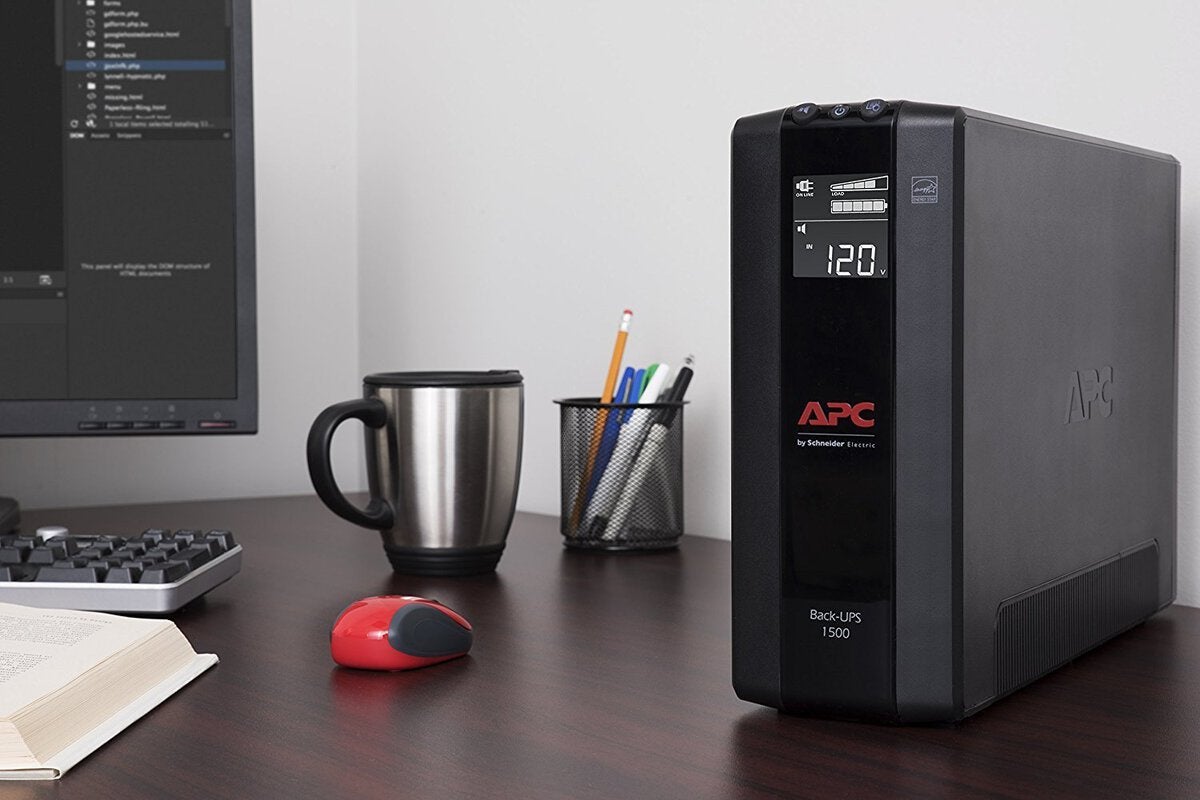
An APC UPS provides backup power power and surge protection to power and protect your PC or Mac, network router, gaming consoles like Xbox and PS4, AV and other business electronics from the dangers of power surges, spikes, lightning and power outages. By powering your critical electronics with a backup battery during blackouts, you ensure personal and professional connectivity when it matters most. Improvements in efficiency, size and surge protection come at an affordable price, making the Back-UPS Pro mini-tower battery backup UPS models a perfect solution for your power protection needs. Right now the Back-UPS Pro from APC averages 4.7 out of 5 stars on Amazon, where its typical list price of $170 is discounted 30% to $119. See this deal now on Amazon.

To read this article in full, please click here

Read More
ComputerWorldIndependent

But what about all those signs that say 'Free Wi-Fi'?

Credit to Author: Sharky| Date: Mon, 18 Dec 2017 05:24:00 -0800

IT pilot fish sets up his family’s home router, and it’s working fine. But soon he realizes he can improve security by limiting who gets access to his Wi-Fi.

“The router had a feature where I could lock it down by MAC address, so I ran around the house getting the MAC address for every device and entered them into the router’s address table for which devices to allow access,” says fish.

“I noticed one MAC address accessing my router wasn’t on my list. I enabled MAC address security and that one fell off, so I was glad I locked my router down.

“It was a nice day, so I went outside on my porch. I saw my sister-in-law, who lived two houses up the street from me, shouting something and waving for me to come over.

To read this article in full, please click here

Read More
ComputerWorldIndependent

Win10 FCU December patch KB 4054517 fails big time

Credit to Author: Woody Leonhard| Date: Mon, 18 Dec 2017 06:20:00 -0800

Some subset of users of Windows 10 Fall Creators Update, version 1709, report persistent bugs with this month’s Patch Tuesday missive, KB 4054517. Many of those reporting problems are using recent Surface devices. Microsoft has not acknowledged any problems. Official sites only offer the old “Gawrsh, you need to Restore/Restore/Reinstall” pabulum — and it doesn’t help.

What kinds of problems? They run quite a gamut. @jwhiz56 reports on AskWoody:

This KB installed on my MS Surface Pro 3, my HP HPDV8T laptop but refuses to install on my 2017 Surface Pro (purchased just before Thanksgiving). I’ve reset it multiple ways (the OS) and the update either sits at 99% downloaded, or it fails on installation. my C:windowslogsCBS directory eats up ALL of my disk free space. I’ve tried all hints/suggestions on the Microsoft forums related to this KB. when I downloaded the standalone version for my computer x86/windows 10, it says it’s not applicable to my computer.

To read this article in full, please click here

Read More